


Can I Watch IPTV on My Smart TV Without a Box?
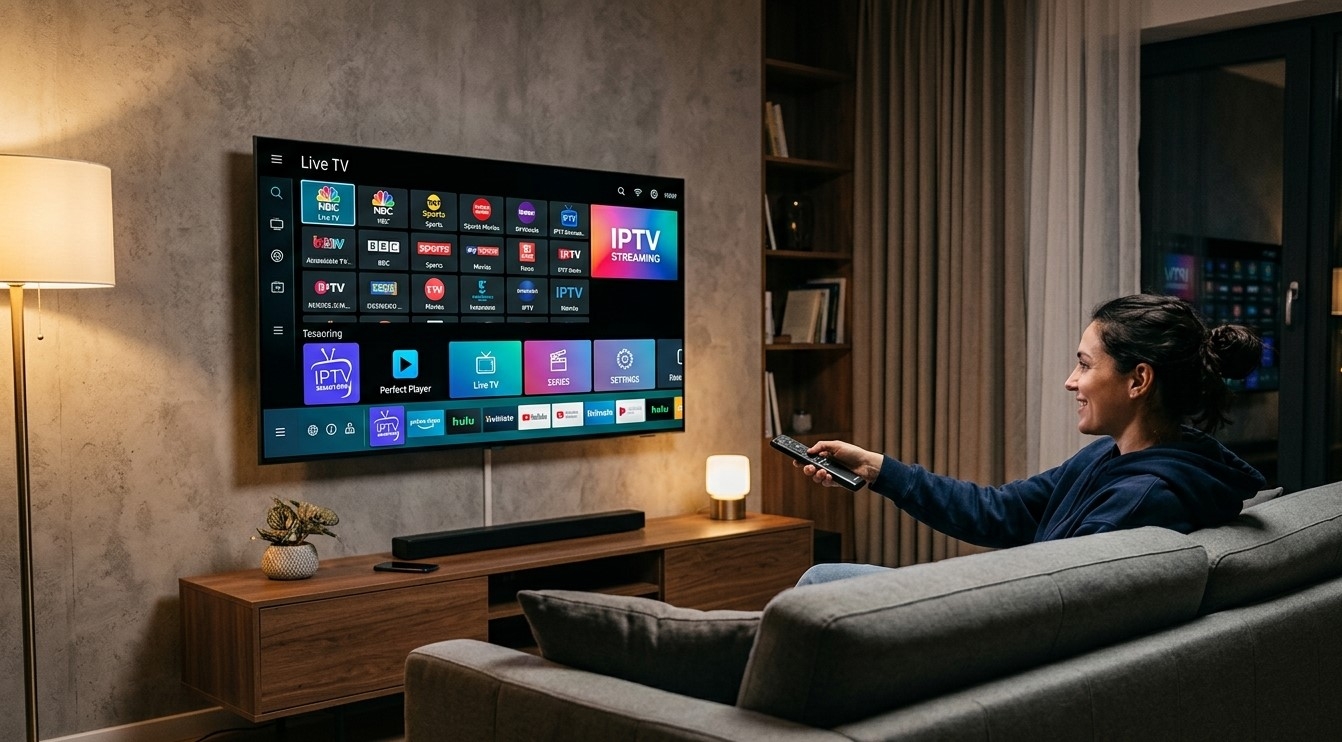
If you already own a Smart TV, you might be wondering whether you really need to invest in extra hardware just to start streaming IPTV. The good news is that in many cases, you don't. In this guide, we'll explain how Smart TVs handle IPTV, when you can skip a separate box, and when upgrading to an Indian IPTV Box might still make sense for the best IPTV India streaming experience.
Table of Contents
- Can Smart TVs Run IPTV Directly?
- How to Watch IPTV on a Smart TV
- Smart TV Compatibility Considerations
- When You Might Still Need an IPTV Box
- Smart TV vs IPTV Box: Pros and Cons
- Tips for the Best Smart TV IPTV Experience
- FAQs
Can Smart TVs Run IPTV Directly?
Yes, in most cases you can absolutely watch IPTV on a Smart TV without needing a separate box. Since Smart TVs already have built-in internet connectivity and an app store, many of them can run IPTV apps directly, letting you stream IPTV India channels without any additional hardware.
The key factor is whether your Smart TV's operating system supports the IPTV app your provider offers, or whether it allows you to sideload compatible apps.
How to Watch IPTV on a Smart TV
Getting started is usually straightforward:
- Check your Smart TV's app store – Search for an IPTV player app compatible with your provider.
- Download and install the app – Most IPTV apps are lightweight and install in just a few minutes.
- Log in with your subscription details – Enter your provider's login credentials or activation code.
- Load your channel list – Once logged in, your channels and on-demand content should appear automatically.
- Start streaming – Select a channel or show and begin watching.
This process works especially well on Smart TVs running Android TV, since Android supports a wide range of IPTV apps directly from the Google Play Store.
Smart TV Compatibility Considerations
Not all Smart TVs are equally IPTV-friendly. Here's what to check before assuming you won't need a box:
- Operating system – Android TV, Google TV, and some newer Smart TV platforms tend to offer the best app support.
- App availability – Some Smart TV brands have more limited app stores, which may not include your specific IPTV provider's app.
- Processing power – Older Smart TVs may struggle with HD or 4K IPTV streaming, leading to lag or buffering.
- Manual app installation options – Some Smart TVs allow sideloading apps via USB, which can help if your provider's app isn't available in the default store.
If your Smart TV checks these boxes, there's a good chance you can enjoy full IPTV functionality without any extra equipment.
When You Might Still Need an IPTV Box
While many Smart TVs handle IPTV just fine, there are situations where an Indian IPTV Box is still the better choice:
- Older or "dumb" TVs – If your TV isn't a Smart TV or has a very outdated operating system, a box adds the smart functionality needed for IPTV.
- Limited app store options – If your Smart TV's app store doesn't support your IPTV provider, a dedicated box solves this instantly.
- Better performance needs – IPTV boxes are often optimized specifically for streaming, offering smoother playback for HD and 4K content.
- Simplified setup for Indian content – An Indian IPTV Box often comes pre-configured with the right apps and settings, making it easier for users who want a plug-and-play experience.
Smart TV vs IPTV Box: Pros and Cons
| Feature | Smart TV | IPTV Box |
|---|---|---|
| Extra Hardware Needed | No | Yes |
| Setup Simplicity | Depends on TV brand | Usually pre-configured |
| App Availability | Varies by platform | Wide compatibility |
| Performance | Depends on TV's hardware | Often optimized for streaming |
| Best For | Users with modern Smart TVs | Users wanting guaranteed compatibility |
Tips for the Best Smart TV IPTV Experience
- Keep your Smart TV's software updated to ensure compatibility with the latest IPTV apps.
- Use a wired internet connection when possible for more stable streaming.
- Check your provider's supported devices list before assuming your TV will work seamlessly.
- Restart your TV periodically to clear cache and improve performance.
- Consider a box as a backup if your TV struggles with buffering or lacks app support.
FAQs
1. Do all Smart TVs support IPTV apps?
Not all of them. Compatibility depends on the TV's operating system and app store availability, with Android TV models generally offering the widest support.
2. Is IPTV quality different on a Smart TV compared to a box?
It can be. Dedicated IPTV boxes are often optimized for streaming performance, while older or budget Smart TVs may struggle with HD or 4K content.
3. Can I install an IPTV app if it's not in my Smart TV's app store?
Some Smart TVs allow sideloading apps via USB, though this varies by brand and model.
4. Is it cheaper to use a Smart TV instead of an IPTV box?
Yes, using your existing Smart TV avoids the extra cost of purchasing additional hardware, as long as it supports your IPTV provider's app.
5. Should I still buy an Indian IPTV Box if I have a Smart TV?
If your Smart TV runs IPTV smoothly, you likely don't need one. However, a box can be a good option if your TV has compatibility or performance limitations.
Start Streaming IPTV Today With or Without a Box
Whether you're using your existing Smart TV or prefer the simplicity of a dedicated Indian IPTV Box, getting started with IPTV India has never been easier. Explore our IPTV plans today and start enjoying your favorite Indian channels on whichever device suits you best.

