


Oman E-Invoicing Integration With SAP Step by Step
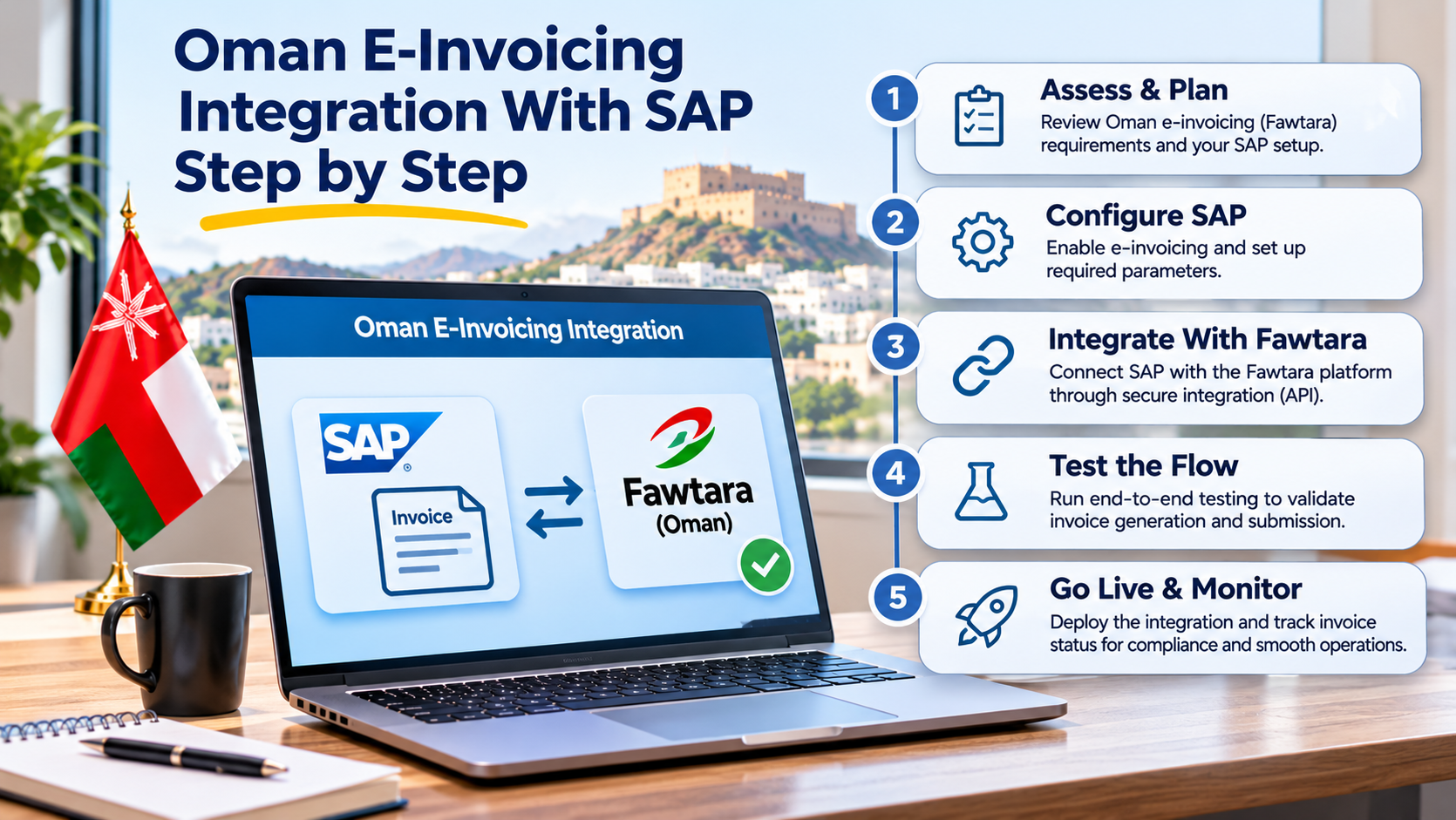
For many Omani businesses, SAP is where every invoice begins. Sales orders, billing documents, tax codes and customer records all live there, which makes it the natural source for e-invoices. The challenge is turning those billing documents into structured, validated electronic invoices that meet Oman's requirements without adding manual steps. A clear plan for Oman e-invoicing integration with SAP keeps the project under control, from scoping to go-live.
This guide walks through the process step by step, in plain language, for finance and IT teams working together.
What the Integration Must Achieve
At its core, the integration has one job: take invoice data from SAP, convert it into the structure required, send it through a channel accepted by the Oman Tax Authority and bring the result back into SAP. Oman's Fawtara programme is being introduced in phases and relies on service providers accredited by the authority, so your SAP system usually connects to such a provider rather than sending invoices on its own. Timelines and technical specifications can change, so always confirm the current position on the Oman Tax Authority website before you finalise your design.
Outbound Invoices
Billing documents created in SAP must be extracted, converted and submitted automatically, without anyone retyping data.
Status and Feedback
Every invoice will return a status, such as accepted or rejected. SAP users need to see that status next to the billing document, so they can act quickly on problems.
Records and Reporting
Finance needs a reliable link between the SAP document, the submitted e-invoice and its status, for reconciliation and audit.
Step by Step: Oman E-Invoicing Integration With SAP
The steps below suit both older SAP ERP landscapes and SAP S/4HANA, though the technical details will differ.
Step 1: Confirm Your Phase and Scope
Find out when your business is expected to start and which legal entities, invoice types and document flows are in scope. Decide whether credit notes, debit notes and returns follow the same path. A clear scope prevents surprises later.
Step 2: Review Your SAP Landscape
Document your SAP version, company codes, billing processes, custom programs and any add-ons that touch invoicing. Heavily customised billing often needs extra mapping effort, so identify it early.
Step 3: Choose an Accredited Provider and Connection Approach
Select a service provider accredited by the authority, and agree how SAP will connect to it. Common approaches include middleware, an integration platform or a direct API connection. Choose the option that fits your IT capacity and keeps SAP changes minimal.
Step 4: Map SAP Data to Invoice Fields
List every field the e-invoice requires and match it to a source in SAP. Gaps found at this stage are cheap to fix, while gaps found during testing cost far more. The table in the next section shows a simple way to organise this.
Step 5: Align Tax Codes and Master Data
Check that customer records carry correct names, addresses and tax details, and that item and service descriptions are clear. Review tax codes so that each supply maps to the right treatment. Clean master data is the single biggest factor in first-time acceptance.
Step 6: Configure Triggering and Output
Decide when SAP should send an invoice, for example when the billing document is released or posted. Configure the output so that each qualifying document is picked up automatically, and so that documents outside the scope are left alone.
Step 7: Handle Statuses, Rejections and Corrections
Design how SAP will store the returned status, and who is alerted when an invoice is rejected. Define a clear correction path: fix the data, resubmit or issue a credit note, and keep the link to the original document.
Step 8: Test in Layers
Test in stages. First, check data extraction. Next, check conversion and validation. Then test submission and status return. Finally, run end-to-end scenarios with real-looking data, including edge cases such as discounts, multiple tax rates and returns.
Step 9: Run in Parallel and Go Live
Where possible, run the new process alongside the existing one for a short period and compare results. Train finance and sales users on how to read statuses and fix errors. Then go live with a clear support plan for the first weeks.
Step 10: Monitor and Maintain
After go-live, watch rejection rates, processing times and error types. Review them weekly at first. Keep the integration updated when the authority or your provider changes specifications.
SAP Source to Invoice Field Mapping
Use a table like this to organise your mapping work. Add rows for every field your design requires.
| Invoice information | Typical SAP source | What to check |
|---|---|---|
| Seller details | Company code and plant data | Name, address and tax details are complete |
| Buyer details | Customer master | No duplicates, correct tax information |
| Invoice number and date | Billing document | Numbering is unique and sequential as needed |
| Line items | Billing items and material master | Descriptions, units and prices are consistent |
| Tax amounts | Tax codes and conditions | Rates and treatments match the supply |
| Totals and discounts | Pricing conditions | Rounding matches the invoice total |
| Credit and debit notes | Returns and adjustment documents | Link to the original invoice is kept |
Why Your SAP Partner Matters
An e-invoicing project touches finance, sales, tax and IT at the same time. Experience with both SAP and statutory compliance reduces rework, because the team already knows where billing logic usually hides. Working with a partner that offers SAP solutions alongside compliance knowledge can make scoping, mapping and testing faster and smoother. Whoever you choose, ask for a clear plan, defined responsibilities and a support model for the weeks after go-live.
Prepare Your Team Alongside the System
Technology is only half the work. People need to know what changes in their daily routine.
Assign Clear Ownership
Name an owner for master data, one for tax rules, one for the SAP configuration and one for monitoring. When everyone assumes someone else is responsible, errors stay unfixed.
Train Users on Statuses
Billing clerks should understand what an accepted or rejected status means and what to do next. Short guides and a few practice cases are usually enough.
Common Mistakes to Avoid
Starting with technology instead of data. Messy customer and tax data will produce rejections no matter how good the connection is.
Ignoring custom billing logic. Special programs and manual workarounds often hide fields and rules that the design must cover.
Testing only the happy path. Returns, discounts and mixed tax rates are where most problems appear.
Having no rejection process. Without a clear path to fix and resubmit, invoices pile up unresolved.
Copying another country's setup. Each market has its own structure and rules, so configure for Oman specifically.
Final Thoughts
A successful SAP integration is built in sensible stages: confirm scope, review your landscape, choose an accredited provider, map data, clean masters, configure output, handle statuses, test thoroughly and monitor after go-live. Treat it as a joint project between finance and IT, and give data quality as much attention as the technical connection. With a clear plan and the right partner, invoices will flow from SAP to the authority smoothly, and your team will spend its time on exceptions instead of routine keying.