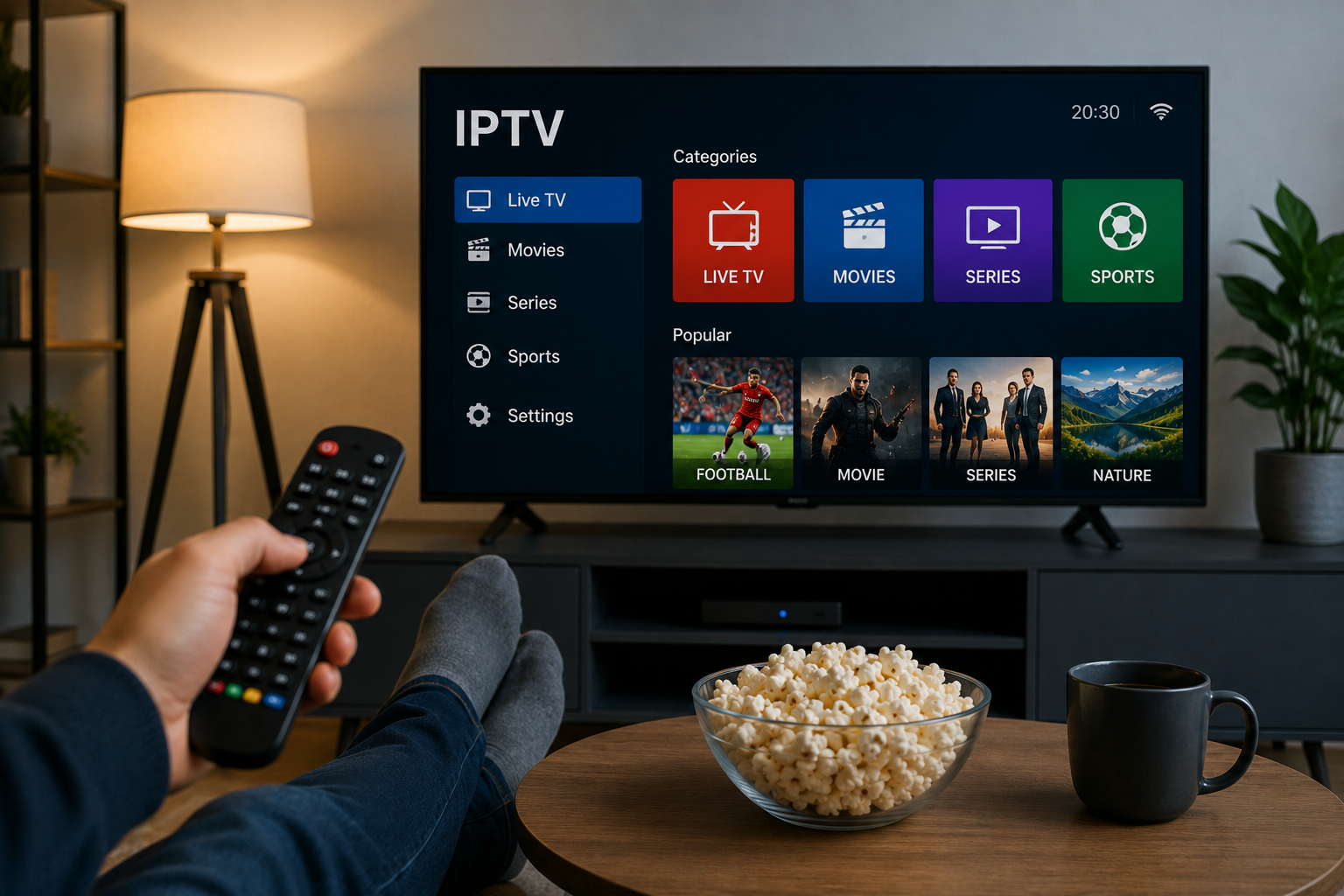
Watching television through an internet connection has become a familiar option for households that want more flexibility across Smart TVs, streaming boxes, phones, tablets, and computers. IPTV is one of the technologies that makes this possible by delivering television and video streams using internet protocol networks.
A good IPTV experience, however, depends on more than simply installing an application. Your broadband connection, home network, streaming device, IPTV player, video settings, and program guide configuration all play a role.
For viewers in Sweden, understanding these factors before setting up IPTV can make installation easier and help reduce common problems such as buffering, freezing, slow loading, or incorrect EPG information.
What Is IPTV?
IPTV stands for Internet Protocol Television. Instead of receiving television through conventional terrestrial, cable, or satellite broadcasting, compatible IPTV services deliver streams over an internet connection.
A basic IPTV setup normally involves:
A stable internet connection
A compatible television or streaming device
An IPTV player or application
Login or playlist information
A screen for watching the content
Depending on the service and application, viewers may be able to browse live television, movies, series, sports, and program schedules through a single interface.
Start With Your Internet Connection
The quality of your broadband connection has a direct influence on streaming.
Many people focus entirely on advertised download speed. Speed is important, but consistency also matters. A connection that frequently slows down or disconnects can cause playback interruptions even if a speed test sometimes produces a high result.
Test Your Connection at Different Times
Do not rely on a single internet test.
Try testing:
During the morning
In the afternoon
During evening viewing hours
While other household devices are active
This can reveal whether network performance changes during busier periods.
You should also compare the connection near your router with the connection where your Smart TV or streaming device is located.
Ethernet or Wi-Fi for IPTV?
Both Ethernet and Wi-Fi can be suitable for television streaming, but they behave differently.
Ethernet Provides a Direct Connection
Ethernet connects the streaming device directly to the router using a cable.
This can be useful for equipment that remains in one location, such as:
Smart TVs
Android TV boxes
IPTV boxes
Desktop computers
Media centers
A wired connection is less affected by walls, distance, and wireless interference.
Wi-Fi Provides More Flexibility
Wi-Fi is often more convenient when a cable cannot easily be installed.
For better wireless performance, consider:
Keeping the router in an open location
Reducing the distance between the router and television
Avoiding large obstacles around the router
Keeping networking equipment updated
Limiting heavy downloads during streaming
If IPTV works well over Ethernet but poorly over Wi-Fi, the wireless network is a useful place to begin troubleshooting.
Choose a Device That Fits Your Viewing Habits
There is no single IPTV device that is ideal for every household.
Your choice should depend on where you watch, the apps available for the device, and how much flexibility you need.
Smart TV
A Smart TV can provide a simple setup because supported IPTV applications run directly on the television.
Before choosing a player, check the application store for your particular television model. Samsung, LG, Android TV, and other platforms do not necessarily support the same applications.
Streaming Box or Stick
A dedicated streaming device can be useful if your television has limited app support or an older operating system.
These devices can also be easier to replace than a complete television when newer software or hardware is needed.
Smartphone and Tablet
Mobile devices provide flexibility for users who want to watch away from their primary television.
They can also be useful during troubleshooting because you can test whether the same connection details work on another device.
Computer
Windows and macOS computers support a variety of media players and streaming applications.
A computer can be particularly convenient for testing playlists, checking account information, and identifying whether a problem is specific to a Smart TV application.
Understand IPTV Services and IPTV Players
An IPTV service and an IPTV player are two different components.
The service provides access information and streaming sources. The player is the software used to load, organize, and display them.
Depending on the service, connection details may include:
Username and password
Server information
M3U playlist URL
Portal details
Other supported login formats
Before choosing a subscription, check whether it can be configured with the device and player you intend to use.
Users researching Swedish IPTV options can review Bästa IPTV when comparing subscription information, device compatibility, channel-related information, and other setup considerations.
What Is an M3U Playlist?
M3U is a playlist format frequently used with internet media.
In an IPTV environment, the playlist can contain references that tell a compatible player where streams are located.
The playlist itself is not the same as the IPTV player.
A compatible application reads the information in the playlist and organizes it into a usable interface.
Not every application handles playlists in exactly the same way, so it is important to check compatibility before installation.
Why EPG Support Can Be Useful
EPG stands for Electronic Program Guide.
An EPG can provide schedule information for live television channels, making it easier to see what is currently playing and what is scheduled next.
Depending on the available data, the guide may display:
Program names
Starting times
Ending times
Current programs
Upcoming programs
For viewers who regularly watch live television, an organized program guide can make navigation considerably easier.
Check Timezone Settings
Incorrect device time settings can sometimes make EPG programs appear at the wrong hours.
If your guide seems out of sync, verify:
Device date
Local time
Timezone
Regional settings
EPG configuration
Swedish users should make sure their device is configured for the appropriate local timezone.
What Causes IPTV Buffering?
Buffering is one of the most common streaming complaints, but there is no single cause.
Several different problems can produce similar symptoms.
Weak Wireless Signal
A television may have a poor Wi-Fi connection even if a smartphone works well in another part of the house.
Try moving the router, reducing obstacles, or testing temporarily with Ethernet.
Other Devices Using Bandwidth
Your internet connection is shared between connected devices.
Activities that may compete with IPTV streaming include:
Large downloads
Software updates
Cloud backups
Video conferencing
Online gaming downloads
Multiple simultaneous video streams
Temporarily pausing these activities can help determine whether local network congestion is responsible.
Streaming Device Performance
Older Smart TVs and streaming devices may become slow when several applications remain open.
Restarting the device can clear temporary memory and background processes.
IPTV Player Issues
An outdated application can also cause performance or compatibility problems.
Check whether an update is available from a trusted application source.
Problems Affecting Individual Streams
If only one channel has difficulties while others work correctly, changing your entire network configuration may not solve the problem.
Testing several streams helps identify whether the issue is widespread or limited to specific content.
Match Video Quality to Your Connection
Higher resolution generally requires more network capacity.
Rather than automatically choosing the highest available picture quality, select a level that your internet connection and device can handle consistently.
Streaming quality may be influenced by:
Broadband performance
Wi-Fi strength
Device hardware
Display resolution
Network congestion
Other simultaneous streams
Consistent playback is usually more enjoyable than repeatedly interrupting a higher-resolution stream with buffering.
Keep Your Streaming Equipment Updated
Software updates are important for compatibility and security.
Periodically check for updates to:
Smart TV software
IPTV applications
Streaming boxes
Mobile operating systems
Computer operating systems
Router firmware
Whenever possible, obtain applications and updates through trusted sources.
Installing unknown modified apps can expose devices and account information to unnecessary security risks.
Review Security and Privacy Basics
IPTV devices connect to the same network used by computers, smartphones, and other household technology.
Use a strong Wi-Fi password and keep your router updated. Avoid sharing IPTV account credentials publicly and use unique passwords when the service supports them.
Users should also review application permissions before installation. A streaming player should not require unrelated access without a clear reason.
What Should You Compare Before Choosing IPTV?
Price is only one consideration.
A useful IPTV comparison should also include practical factors that affect everyday use.
Device Compatibility
Check whether the service works with the Smart TV, streaming box, smartphone, or computer you plan to use.
Player Compatibility
Find out which login or playlist methods are supported.
Setup Instructions
Clear installation guides can make a significant difference, particularly for first-time IPTV users.
Program Guide
If you watch live television frequently, check whether EPG functionality is relevant to your chosen setup.
Support
Look at the available support methods and determine whether help is provided for installation and account issues.
Subscription Conditions
Review the subscription period, payment information, renewal conditions, cancellation details, and any applicable policies before purchasing.
Content Information
Check the provider's current information rather than assuming that a particular channel, movie, sporting event, or program is available.
Content availability can change, so this should always be confirmed directly.
A Simple IPTV Troubleshooting Process
When something goes wrong, changing every setting at once can make the problem harder to identify.
Use a simple sequence instead.
Step 1: Restart the Application
Close the IPTV player completely and reopen it.
Step 2: Test Another Stream
Check whether the problem affects one channel or several.
Step 3: Restart the Device
Restart the Smart TV, streaming box, computer, or mobile device.
Step 4: Check Your Internet
Test whether websites and other streaming applications are functioning normally.
Step 5: Reduce Network Activity
Pause downloads and other bandwidth-heavy tasks.
Step 6: Test Ethernet
If you normally use Wi-Fi, try a wired connection when possible.
Step 7: Check for Updates
Update both the IPTV player and device software.
Step 8: Verify Login Information
Confirm that usernames, passwords, URLs, and other connection details have been entered correctly.
Step 9: Contact Support
If the problem continues, provide useful information such as your device type, IPTV application, connection method, and a description of the issue.
Build Your IPTV Setup Around Reliability
The best streaming setup is not necessarily the one with the most complicated equipment.
A stable connection, compatible device, suitable IPTV application, correctly configured EPG, and well-maintained home network can provide a much better foundation.
Before purchasing anything, determine what devices you already own and how you prefer to watch television. This can help you avoid paying for hardware that you do not actually need.
Final Thoughts
IPTV gives viewers flexibility to access television and video through internet-connected devices, but a successful setup depends on several components working together.
For viewers in Sweden, it is worth checking broadband stability, Wi-Fi coverage, device compatibility, IPTV player support, EPG configuration, subscription terms, and available support before choosing a service.
Taking the time to understand these basics makes it easier to compare options, configure devices correctly, and troubleshoot common streaming problems when they occur.



 Watching television through an internet connection has become a familiar option for households that want more flexibility across Smart TVs, streaming boxes, phones, tablets, and computers. IPTV is one of the technologies that makes this possible by delivering television and video streams using internet protocol networks.
