


Cisco Memory & Flash: Types, Features, Benefits & Buying Guide
Introduction
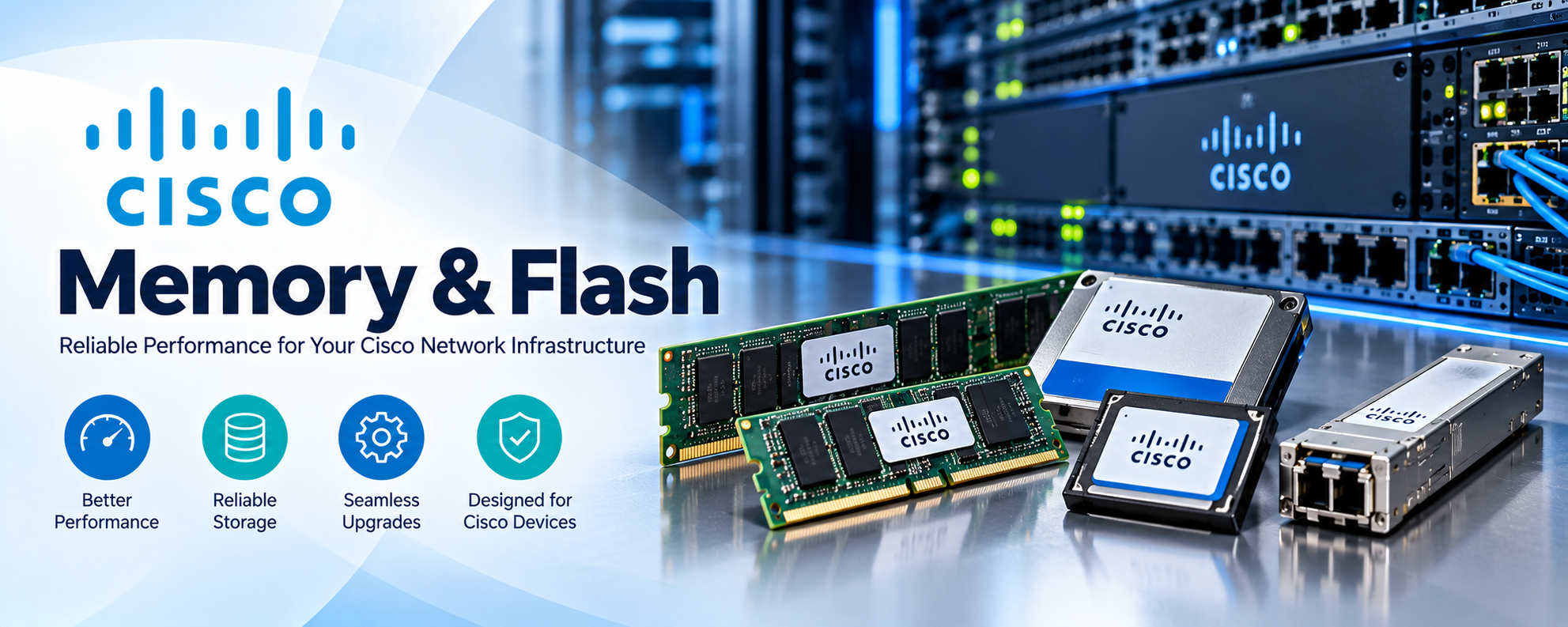
Modern networking infrastructure requires reliable hardware components to maintain consistent performance, secure data handling, and efficient network operations. While routers and switches are often recognized for their processing power and connectivity features, memory and storage components are equally important. Cisco Memory & Flash solutions play a critical role in supporting network device operations, storing system software, and managing essential configuration information.
From enterprise routers and switches to advanced networking platforms, Cisco devices rely on different memory technologies to process instructions, maintain routing information, and store operating system files. Without sufficient memory or appropriate flash storage, networking equipment may experience performance limitations, software upgrade difficulties, or operational failures.
Understanding Cisco Memory & Flash components helps businesses make informed decisions when maintaining, upgrading, or expanding their IT infrastructure.
What Is Cisco Memory & Flash?
Cisco Memory & Flash refers to the memory and storage technologies used in compatible Cisco networking equipment.
Memory generally includes components such as Random Access Memory (RAM), Dynamic Random Access Memory (DRAM), and Non-Volatile Random Access Memory (NVRAM). These technologies perform different functions, including processing active information, maintaining configuration data, and supporting device operations.
Flash memory is a non-volatile storage technology commonly used for storing operating system images, firmware files, and other important system information.
Cisco networking equipment may use multiple types of memory simultaneously. Each serves a specific purpose in maintaining device functionality.
For example, a Cisco router can use DRAM to process active routing information while using flash storage to retain its operating system image.
The exact memory architecture varies depending on the device model, hardware generation, and operating system.
How Does Cisco Memory & Flash Work?
Cisco networking devices depend on memory and storage during startup and normal operation.
When a supported router or switch powers on, its boot process identifies the necessary system software and loads or launches the operating system according to the platform architecture.
Flash storage retains software images even when the device loses power. RAM provides working memory for active processes, routing tables, and other operational information.
Depending on the platform, startup configuration information may be stored in NVRAM or another persistent storage location.
During normal operation, the device continuously uses memory resources to process networking instructions and maintain system functions.
This separation between temporary working memory and persistent storage helps networking equipment operate efficiently while preserving important software and configuration data.
Different Types of Cisco Memory & Flash
Cisco networking platforms use several memory technologies, each designed for particular functions.
Cisco RAM Memory
Random Access Memory is essential for the operation of Cisco routers, switches, and other networking devices.
RAM provides temporary storage for active processes and information required by the operating system.
It supports functions such as routing table management, system processes, and network administration.
Because RAM is volatile, its contents are generally lost when the device loses power.
Insufficient RAM can affect device stability or prevent certain software versions and features from operating correctly.
However, increasing RAM does not automatically improve packet-forwarding performance because networking devices may rely on specialized forwarding hardware.
Cisco DRAM Memory
Dynamic Random Access Memory is a common form of RAM used in networking equipment.
Cisco DRAM supports operating system processes, routing information, and other active system functions.
In supported hardware, DRAM is installed through compatible memory modules.
Organizations operating complex networks may require devices with substantial DRAM capacity to support advanced routing features and larger software workloads.
Some Cisco devices include fixed memory, while others support specific memory upgrade options.
Before upgrading, administrators should verify the supported memory capacity and installation requirements for their device.
Cisco NVRAM Memory
Non-Volatile Random Access Memory retains stored information without continuous power.
In many traditional Cisco IOS platforms, NVRAM stores the startup configuration used during the device boot process.
This configuration contains settings that help the device restore its intended operating state after restarting.
However, startup configuration storage differs across Cisco hardware and software platforms, and some devices use other persistent storage mechanisms.
NVRAM is therefore important for configuration persistence, but its exact function depends on the device architecture.
Cisco Flash Memory
Flash memory is a non-volatile storage technology used to retain operating system images and other persistent files.
Unlike RAM, flash storage preserves information when networking equipment is powered off.
Cisco routers and switches may use internal flash, removable flash media, or other supported storage technologies.
Flash capacity is particularly important when installing software upgrades because newer operating system images may require additional storage space.
Insufficient flash capacity can prevent an upgrade from completing successfully.
Cisco CompactFlash Memory
CompactFlash technology has been used in several generations of Cisco networking equipment.
These removable storage cards provide persistent storage for compatible devices and can contain operating system images or other supported files.
CompactFlash modules are especially relevant when maintaining certain older Cisco routers and network platforms.
Organizations considering replacement CompactFlash modules should verify the supported capacity, hardware specifications, and device compatibility.
Cisco USB Flash Storage
Some Cisco networking platforms support USB flash storage for specific maintenance and software management operations.
Compatible USB storage devices may be used to transfer system images, store backup files, or assist with recovery procedures.
However, not every Cisco device supports booting from USB storage, and supported file systems and capacities can vary.
Administrators should consult the platform's hardware and software requirements before using removable USB storage.
Cisco Memory vs. Cisco Flash: Understanding the Difference
Although Cisco Memory and Flash storage work together, they serve different purposes.
RAM and DRAM provide temporary working space for active system processes. They allow networking equipment to execute instructions and handle operational information.
Flash memory, on the other hand, provides persistent storage for system software and other files.
Another important difference is data retention. RAM typically loses its contents when power is removed, while flash memory retains stored information.
Memory capacity can influence whether a device can support particular software features and workloads. Flash capacity determines how much supported software and persistent data can be stored.
Both components are necessary for reliable device operation, but they cannot generally replace one another.
Key Features and Benefits of Cisco Memory & Flash
Reliable Network Device Operation
Cisco Memory & Flash components help networking equipment perform essential system functions.
Adequate working memory supports active processes, while suitable flash storage ensures that required software files are available.
Using compatible components helps organizations maintain predictable device operation.
Support for Software Upgrades
Software upgrades are important for network security, functionality, and hardware maintenance.
Cisco Flash storage provides space for supported operating system images and associated files.
Before upgrading, administrators should verify that the device has sufficient storage and meets the software release's memory requirements.
For supported platforms, adequate storage can also help administrators retain files needed for approved recovery procedures.
Improved Infrastructure Flexibility
Some Cisco networking devices allow memory or flash components to be replaced or upgraded.
This flexibility can help organizations extend the useful life of compatible equipment.
However, many modern platforms include fixed memory or storage that cannot be upgraded independently.
Businesses should confirm upgrade availability before purchasing replacement components.
Persistent System Storage
Non-volatile storage allows important software and configuration-related information to remain available after a restart.
This persistence is essential for predictable boot operations and maintenance.
Appropriate backup procedures remain necessary because flash memory can fail or stored files can become corrupted.
Common Applications of Cisco Memory & Flash
Enterprise Routers
Enterprise routers use memory to maintain routing information, execute operating system processes, and support networking services.
Flash storage retains system images and other persistent files.
Organizations operating routing-intensive environments should evaluate memory requirements when selecting or upgrading their equipment.
Cisco Network Switches
Cisco switches depend on memory and persistent storage to operate their software and management functions.
System memory supports active processes, while flash storage retains the software required for startup and maintenance.
Available capacities vary across switch families and specific models.
Data Center Infrastructure
Data center networking equipment must support complex workloads and high availability requirements.
Appropriate system memory helps devices operate supported network services, while persistent storage supports software maintenance and diagnostics.
Memory requirements should be considered alongside forwarding capacity, interface bandwidth, and platform scalability.
Network Maintenance and Recovery
Flash storage plays an important role in software recovery and maintenance procedures.
Administrators may use supported storage locations to retain software images, diagnostic files, or configuration backups.
Maintaining suitable storage availability can simplify troubleshooting and reduce complications during software maintenance.
How to Choose the Right Cisco Memory & Flash
Check Device Compatibility
Compatibility is the most important factor when selecting memory or flash storage for Cisco equipment.
Different routers and switches use different memory architectures, capacities, and hardware interfaces.
A module that physically resembles another component may not be supported by the intended device.
Always verify the specific device model and supported replacement part number.
Determine Memory Capacity Requirements
Before selecting memory, administrators should identify the device's current capacity and the requirements of its intended software version.
Larger routing tables, supported features, and system processes may increase memory requirements.
Purchasing additional memory is useful only when the device supports the upgrade and the existing capacity is insufficient.
Evaluate Flash Storage Capacity
Flash storage must provide enough space for the operating system and other required files.
Some software installation procedures also require temporary working space.
Administrators should review available flash capacity before initiating an upgrade.
Cisco documentation for supported IOS XE platforms specifically identifies storage capacity as an important software upgrade consideration.
Verify Product Authenticity and Condition
Businesses purchasing replacement Cisco Memory & Flash components should evaluate product condition and compatibility.
Genuine, supported components can reduce the risk of unexpected hardware compatibility issues.
When considering refurbished components, organizations should assess testing procedures, supplier reliability, and warranty coverage.
Consider Long-Term Infrastructure Requirements
Memory and storage requirements can change as businesses adopt new software versions and networking features.
Organizations should consider whether their networking platform provides sufficient capacity for planned operations.
If a device has fixed memory or limited storage, replacing the platform may be more practical than attempting an unsupported hardware upgrade.
Common Cisco Memory & Flash Problems
Insufficient Memory
Insufficient RAM can cause software processes to encounter resource limitations.
Depending on the platform, symptoms may include memory allocation failures, application instability, or difficulties enabling supported features.
Administrators should inspect memory utilization and determine whether the issue relates to capacity, software behavior, or configuration.
Flash Storage Errors
Flash storage problems can affect software installation, file access, and system startup.
Possible causes include storage corruption, hardware failure, insufficient capacity, or unsupported media.
Monitoring storage status and maintaining backups can help reduce operational risk.
Software Upgrade Failures
An upgrade may fail when the device lacks the necessary memory or available storage.
Incompatible software images and incorrect installation procedures can also cause problems.
Checking system requirements and following platform-specific upgrade instructions helps reduce the likelihood of failure.
Compatibility Issues
Unsupported memory modules or flash devices may not be recognized by the networking equipment.
Even when a component fits into a slot, it may not meet the platform's electrical, firmware, or capacity requirements.
Using the correct part number and supported specifications is essential.
Best Practices for Maintaining Cisco Memory & Flash
Maintaining Cisco Memory & Flash requires regular monitoring and careful system management.
Network administrators should periodically review available memory and storage capacity to identify potential resource limitations.
Before installing software updates, it is important to confirm that the selected image is compatible with the networking platform.
Configuration backups should be stored securely so important settings can be restored after hardware failure or maintenance.
Administrators should also avoid deleting unfamiliar files from flash storage because some system-generated files may be necessary for normal operation.
When replacing supported memory or storage components, proper handling procedures help prevent physical damage.
These practices contribute to more reliable networking infrastructure and reduce avoidable maintenance problems.
Future of Cisco Memory & Flash in Networking
Networking hardware continues to evolve as organizations adopt cloud services, automation, and increasingly sophisticated network management technologies.
Modern network operating systems may require additional system resources to support advanced features and management functions.
At the same time, network equipment manufacturers are integrating memory and storage more closely into hardware platforms.
This trend can improve hardware integration but may reduce opportunities for independent component upgrades.
For businesses planning future infrastructure investments, understanding memory capacity, flash storage requirements, and hardware support lifecycles remains important.
Conclusion
Cisco Memory & Flash components are essential for maintaining reliable networking equipment and supporting everyday infrastructure operations.
RAM and DRAM provide working memory for active system processes, while NVRAM and flash storage support persistent configuration information and software files.
Understanding the differences between these technologies helps organizations select appropriate components, plan software upgrades, and troubleshoot hardware issues.
Whether maintaining an existing Cisco router or expanding an enterprise networking environment, choosing compatible memory and storage components is important for long-term reliability.
By evaluating device compatibility, capacity requirements, component condition, and future software needs, businesses can make informed decisions about Cisco Memory & Flash investments.
Frequently Asked Questions About Cisco Memory & Flash
What is Cisco Memory & Flash used for?
Cisco Memory & Flash supports the operation of compatible networking devices. RAM provides temporary working memory for processes and network information, while flash storage retains operating system images and other persistent files.
What is the difference between Cisco RAM and flash memory?
Cisco RAM stores temporary information used during active operation, while flash memory retains data even when the device is powered off. RAM supports running processes, whereas flash storage commonly holds software images and persistent files.
Can Cisco router memory be upgraded?
Some Cisco routers support memory upgrades, while others have fixed memory configurations. Upgrade availability depends on the router model, hardware architecture, and supported memory modules.
What happens when Cisco flash memory is full?
Insufficient flash storage can prevent software updates, file transfers, or other operations requiring additional space. Administrators should review stored files and follow approved cleanup procedures before attempting upgrades.
Does increasing Cisco RAM improve network performance?
Increasing RAM may help when a supported device is experiencing memory limitations. However, additional RAM does not automatically increase switching capacity, routing throughput, or interface speed.
What is Cisco NVRAM used for?
On many traditional Cisco IOS devices, NVRAM stores startup configuration information that remains available after a restart. Other Cisco platforms may use different persistent storage mechanisms for this purpose.
Can I use third-party memory in Cisco devices?
Third-party memory may work in some Cisco devices, but compatibility is not guaranteed. Organizations should verify supported specifications, platform requirements, and warranty implications before installation.
How much flash memory does a Cisco router need?
Required flash capacity depends on the router model, operating system version, software image size, and installation procedure. Some upgrades require additional temporary storage beyond the size of the final software image.
Are refurbished Cisco Memory & Flash components reliable?
Refurbished components may be suitable when they are compatible with the intended hardware and have been properly tested. Buyers should consider product condition, remaining lifespan, supplier reliability, and warranty coverage.
How do I check memory and flash capacity on a Cisco device?
On many Cisco IOS or IOS XE platforms, administrators can use commands such as show version to review system information and dir bootflash: to inspect supported storage locations. The available commands and displayed information depend on the device model and software version.
Can Cisco Flash memory store configuration backups?
Yes, many Cisco platforms allow configuration backup files to be saved in supported flash storage locations. However, maintaining an additional backup outside the networking device is recommended in case of hardware failure or storage corruption.
Why is Cisco Memory & Flash compatibility important?
Compatible components help ensure that networking equipment can recognize and use the installed hardware correctly. Unsupported memory or storage may cause operational problems, failed upgrades, or startup issues.

