


How to Identify and Fix Duplicate Content Issues on Shopify Stores
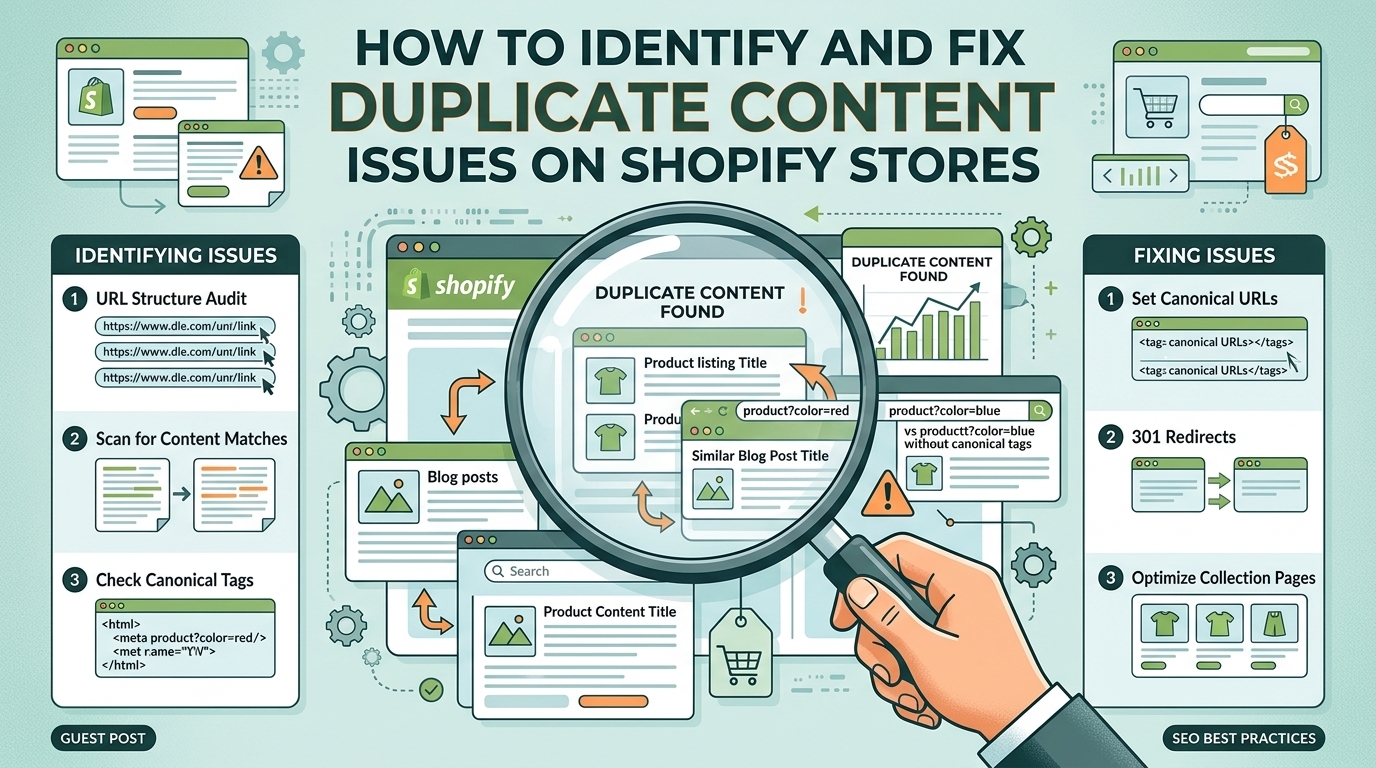
Duplicate content is a common SEO challenge for Shopify store owners. When multiple URLs display identical or very similar content, search engines may struggle to determine which page should appear in search results. This can affect organic visibility, weaken internal linking signals, and make it harder for important product and collection pages to rank effectively.
For ecommerce businesses looking to improve their search performance, identifying and resolving duplicate content should be an essential part of a technical SEO strategy. Working with an experienced ecommerce seo agency uk can help store owners identify technical issues, improve website structure, and build a stronger foundation for long-term organic growth.
In this guide, we will explain how duplicate content occurs on Shopify stores, how to identify common problems, and the practical steps you can take to fix them.
What Is Duplicate Content in Shopify SEO?
Duplicate content refers to identical or substantially similar content appearing at multiple URLs on a website or across different websites. On Shopify, this often happens because of the platform's automatic URL structures, product variants, collection pages, and tracking parameters.
For example, a product may be accessible through both a standard product URL and a collection-based URL:
-
example.com/products/blue-dress
-
example.com/collections/dresses/products/blue-dress
Both URLs may display the same product information, including its description, images, and pricing.
Although search engines can often recognise these variations, excessive duplication may create unnecessary crawling and indexing complications. Shopify includes certain features to manage these issues, but store owners still need to check that their website is configured correctly.
Why Duplicate Content Is a Problem for Shopify Stores
Duplicate content does not automatically result in a Google penalty. However, it can create several SEO challenges when search engines encounter multiple versions of the same page.
1. Keyword Cannibalisation and Ranking Confusion
When similar pages target the same search intent, search engines may have difficulty deciding which page is the most relevant result. This can lead to inconsistent rankings or visibility being divided between competing URLs.
2. Wasted Crawl Resources
Large ecommerce stores may contain thousands of product, collection, filter, and parameter-based URLs. If search engines repeatedly crawl unnecessary duplicates, they may spend less time discovering updated or newly added pages.
3. Weaker Consolidation of SEO Signals
Backlinks, internal links, and other signals may point to different versions of the same content. Correct canonicalisation and consistent internal linking help search engines understand which URL should be treated as the preferred version.
4. Poor User Experience
Duplicate pages can also create confusion when users encounter several similar search results or inconsistent navigation paths. A clear website structure makes it easier for shoppers to find the products they want.
Common Causes of Duplicate Content on Shopify
Before fixing duplicate content, it is important to understand where it comes from.
Multiple Product URLs
Shopify can make products accessible through collection-based paths as well as their standard product URLs. This is one of the most common sources of duplicate URLs.
Product Variants
Products with different sizes, colours, or other options may use URL parameters to represent a selected variant. These URLs usually show the same main product page, although the selected option may change.
Collection and Pagination URLs
Collection pages may have different URLs for pagination or sorting. While these pages do not always contain duplicate content, incorrect canonical tags or repetitive descriptions can create SEO problems.
URL Parameters
Tracking parameters, sorting options, and filters can generate multiple URL variations. For example, adding campaign parameters to a product URL may produce a different address without changing the underlying page content.
Repeated Product Descriptions
Stores that use manufacturer-provided descriptions across many products may have substantial content duplication. Similar descriptions across different websites can also make it difficult for product pages to stand out in organic search.
How to Identify Duplicate Content Issues on Shopify
A systematic audit helps you discover duplicate URLs and decide which problems require attention.
1. Use Google Search Console
Google Search Console is a useful starting point for identifying indexing and canonicalisation problems.
To investigate your Shopify store:
-
Open Google Search Console and select your website property.
-
Navigate to the Pages indexing report.
-
Review categories such as “Duplicate without user-selected canonical” and “Duplicate, Google chose different canonical than user.”
-
Inspect affected URLs to understand which pages Google has indexed or excluded.
-
Use URL Inspection to check Google's selected canonical URL and the canonical declared by your website.
Not every excluded duplicate requires a fix. Search engines may intentionally exclude alternate URLs when the preferred page is correctly identified.
2. Crawl Your Website With an SEO Tool
Website crawling tools can identify duplicate titles, meta descriptions, canonical tags, and URL variations across your Shopify store.
During a crawl, check for:
-
Multiple URLs returning the same or very similar content.
-
Duplicate title tags and meta descriptions.
-
Missing or inconsistent canonical tags.
-
Redirect chains and unnecessary redirects.
-
Filter and parameter URLs that can be crawled.
-
Internal links pointing to non-preferred URLs.
Export the results and group issues by type. This makes it easier to prioritise problems affecting important product and collection pages.
3. Check Canonical Tags
Canonical tags tell search engines which URL is preferred when multiple pages contain identical or similar content.
For example, a product page might include the following HTML:
<link rel="canonical" href="https://example.com/products/blue-dress">
This indicates that the standard product URL is the preferred version.
Shopify generally generates canonical tags automatically. However, themes, custom code, and third-party apps can sometimes introduce conflicting or incorrect tags.
View the page source and search for rel="canonical". Confirm that the canonical URL is correct, uses HTTPS, and points to the intended indexable page.
4. Review XML Sitemaps
Shopify automatically generates an XML sitemap, normally available at /sitemap.xml.
Check that your sitemap contains the important pages you want search engines to discover. If you find unexpected URLs or pages that should not be indexed, investigate their configuration and canonical signals.
Remember that a sitemap helps search engines discover URLs; it does not guarantee indexing or override incorrect canonicalisation.
How to Fix Duplicate Content Issues on Shopify
After identifying the causes, implement the most appropriate solution for each type of duplication.
1. Correct Canonical Tags
For duplicate URLs that should consolidate into one preferred page, ensure the canonical tag points to the correct destination.
For example, if a product is accessible through both a collection-based URL and its standard product URL, the preferred canonical will commonly be the standard product URL.
Shopify normally handles this automatically. If the canonical is incorrect, inspect your theme's Liquid files and any SEO apps that modify page metadata before making changes.
Avoid adding multiple canonical tags or pointing unrelated products to the same URL.
2. Use Redirects Where Appropriate
A 301 redirect is useful when a URL has permanently moved and the old URL should no longer serve a separate purpose.
For example, if you permanently replace an old product URL with a new one, redirect the old address to the relevant replacement.
However, do not redirect every duplicate URL indiscriminately. Variant URLs, filter pages, and collection paths may serve legitimate purposes. Use redirects only when the old URL should genuinely be replaced.
3. Improve Product Descriptions
Unique product content helps search engines understand the differences between products and gives customers useful information.
Instead of copying generic manufacturer descriptions, create original content that explains:
-
Key product features and benefits.
-
Materials, dimensions, sizes, and specifications.
-
Intended uses and practical advantages.
-
Product differences compared with similar items.
-
Care instructions, compatibility, or fitting guidance where relevant.
Prioritise your best-selling products and pages with strong commercial potential. You do not need to rewrite every page at once to start making meaningful improvements.
4. Manage Collection and Filter URLs
Sorting and filtering features can create large numbers of URL variations. Review which filtered pages offer genuine search value and which merely create unnecessary duplicates.
For pages that do not need to appear in search results, consider appropriate crawl management and indexing controls. Use canonical tags where suitable, but remember that canonical tags are hints rather than guaranteed directives.
Do not automatically block all filtered URLs in robots.txt if search engines need to crawl them to discover canonical tags or other important signals. Also, a noindex directive and a canonical tag serve different purposes and should not be used interchangeably.
5. Strengthen Internal Linking
Internal links should consistently direct users and search engines towards the preferred URLs.
Review links in your navigation, product recommendations, collection grids, breadcrumbs, and blog posts. Where appropriate, link directly to the standard product URL rather than a duplicate collection-based path.
Consistent internal linking supports a clearer site structure and helps reinforce which pages matter most.
6. Review Shopify Apps and Theme Code
SEO apps, product filtering apps, and custom theme modifications may change canonical tags, metadata, or URL behaviour.
If duplicate content issues appear after installing an app or updating a theme, review the changes carefully. Check whether multiple applications are generating canonical tags or whether custom Liquid code is overriding Shopify's default behaviour.
Make a backup before editing theme files, and test changes on a small number of pages before applying them across the store.
How Shopify SEO Experts Can Help Prevent Duplicate Content
Managing duplicate content across a large ecommerce website requires a combination of technical knowledge, careful analysis, and ongoing monitoring.
Experienced shopify seo experts can crawl a store, investigate indexing issues, assess canonicalisation, review collection and product URL structures, and identify unnecessary URL variations.
They can also help improve internal linking, rewrite duplicate product content, and establish processes for checking SEO issues whenever new products or applications are added.
For growing businesses, professional SEO support can be particularly valuable when a store has thousands of products, multiple collection structures, extensive filtering options, or a history of technical changes.
Choosing an experienced ecommerce seo agency uk can help ensure that technical improvements align with commercial priorities, target keywords, and the store's long-term growth strategy.
Best Practices for Preventing Future Duplicate Content
Once existing issues have been addressed, prevention should become part of your regular SEO maintenance.
Follow these best practices:
-
Audit regularly: Crawl your website periodically to identify new duplicate URLs and metadata issues.
-
Use consistent canonical tags: Check that preferred URLs are correctly declared.
-
Maintain a clear URL structure: Avoid unnecessary URL variations and duplicate pages.
-
Create original content: Write meaningful, distinct product descriptions and collection copy.
-
Monitor Google Search Console: Investigate new indexing and canonicalisation problems.
-
Review apps before installation: Check whether new applications affect URLs, indexing, or metadata.
-
Update internal links: Ensure navigation and content links point to preferred URLs.
-
Test website changes: Recheck canonical tags, redirects, and indexing behaviour after theme updates or migrations.
Choosing an experienced ecommerce seo agency uk can help ensure that technical improvements align with commercial priorities, target keywords, and the store's long-term growth strategy.
These practices can help maintain a technically sound Shopify store as your product catalogue grows.
Conclusion
Duplicate content is a common Shopify SEO challenge, but it can usually be managed through a structured technical audit and the correct use of canonical tags, redirects, internal links, and unique product content.
Start by identifying duplicate URLs through Google Search Console and website crawling tools. Next, determine whether each variation should remain accessible, consolidate into a preferred URL, or be redirected. Avoid making blanket changes without understanding the purpose of each page.
With regular monitoring and a clear SEO strategy, Shopify businesses can improve URL consistency, support more efficient crawling, and give their most valuable pages a stronger opportunity to perform in organic search. Working with shopify seo experts or a reliable ecommerce seo agency uk can provide additional support in identifying technical problems and maintaining sustainable search visibility.

