


U4GM Explains MLB The Show 26 Team Rebranding
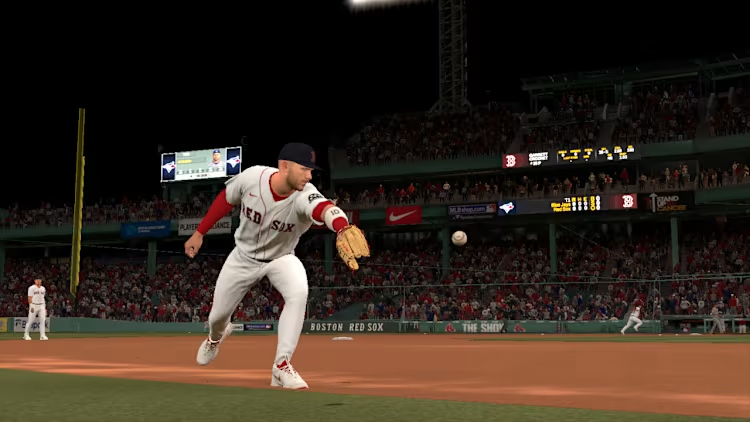
Start with the roster, not the Franchise screen. That is where the real advantage is built. From the main menu, open Create or Settings, choose Manage CPU Rosters, then head into Player Movement. A Yankees save is a handy base because Judge, Bellinger, Chisholm, and Fried already give you plenty to work with. If you are also saving up MLB 26 stubs, it is worth taking a minute to make the squad feel exactly how you want before the season begins. Add free-agent legends such as Edgar Martinez, Gary Sheffield, Jim Edmonds, Dave Parker, Luis Gonzalez, and Rafael Palmeiro, then save that roster file under a name you will recognise later.
Load the right roster first
When you create the Franchise, select the saved roster during setup. It is an easy screen to rush through, and that is how people lose all their edits. Once the league-selection page appears, highlight the altered Yankees and use CPU Roster Control to replace that organisation with a Custom Team. Your imported players should stay attached to the club. Check the lineup and pitching staff before moving on. Orlando Cepeda or another legend may be sitting in the wrong place, especially if the roster was crowded.
| Choice | What it changes |
|---|---|
| Saved roster | Brings your legends into Franchise |
| Team replacement | Turns the selected MLB club into a custom franchise |
| Created stadium | Gives the club its own home identity |
Give the club a Bananas-style identity
The Custom Team section is where the save stops feeling like a normal Yankees rebuild. A Savannah Bananas-inspired look works because it is loud, playful, and instantly readable on the field. Use the Logo Vault or Logo Editor to bring in a banana-themed mark, then place it on the home jersey. The familiar version uses baseball lettering, a bat-carrying banana, yellow tones, and sharp green details. Do not just drop it in the centre and call it done. Use the grid, rotate it a touch if needed, and scale it until it sits naturally across the chest.
Keep the design choices simple
- Set the team city and nickname before editing uniforms.
- Build the home set around yellow, navy, and small green accents.
- Make the road uniform cleaner, with fewer colours.
- Preview caps, sleeves, and helmets under stadium lighting.
- Save after each major edit, since small changes add up fast.
You will notice that the best custom uniforms are not packed with five different ideas. One clear logo, readable numbers, and colours that do not clash usually look better in gameplay. The Bananas theme has room for fun, but the team still needs to look like it belongs in a 162-game league.
Pick a home field that fits the show
Finish by choosing a ballpark. On current-gen systems, a created stadium can borrow the close, lively feel of Grayson Stadium, with bright colours and a compact layout that keeps the crowd involved. If Stadium Creator is not available, a minor-league park or older classic venue still suits the concept. Before confirming the file, make one last roster check and look over the uniforms in-game. You can grab MLB 26 stubs for sale if you want extra flexibility elsewhere in the mode, while your rebranded, legend-loaded Bananas club is ready to take the field.

