


Why Does IPTV Freeze Even When Your Internet Speed Is Fast?
Introduction
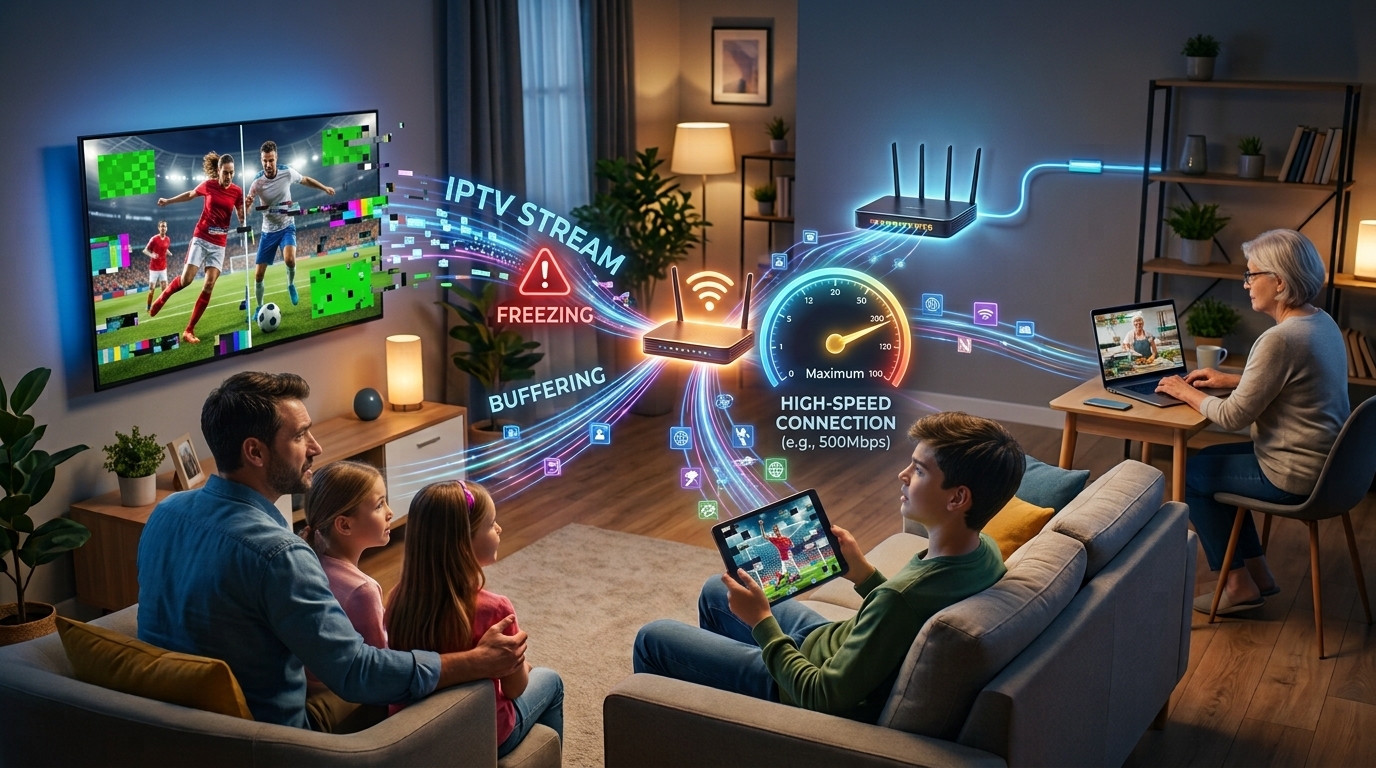
One of the most frustrating IPTV problems is a frozen picture. You may have a fast internet package, a modern Smart TV, and a powerful router, yet the IPTV stream can still stop for several seconds or repeatedly pause during playback.
This often leads to a simple question:
Why does IPTV freeze even when my internet speed is fast?
The answer is that internet speed is only one part of the streaming equation. IPTV requires a continuous and stable flow of data from the service to your device. Problems with Wi-Fi, packet loss, latency, router performance, device hardware, application settings, network routing, or the IPTV provider itself can cause freezing even when a speed test shows a high download speed.
This distinction is especially important for households using internet television through Smart TVs, streaming devices, or an Indian IPTV Set Top Box.
For users considering Parivar IPTV, understanding these factors can help distinguish between a problem with the home network and an issue that originates with the IPTV service.
Table of Contents
-
Introduction
-
What Does IPTV Freezing Actually Mean?
-
Why Fast Internet Does Not Always Mean Smooth IPTV
-
Common Reasons IPTV Freezes Despite Fast Internet
-
Wi-Fi Can Be the Hidden Problem
-
Router Performance and Network Congestion
-
IPTV Server and Provider-Side Issues
-
Internet Routing, Latency, and Packet Loss
-
Device Performance and Hardware Limitations
-
IPTV App and Decoder Problems
-
Why Some Channels Freeze While Others Work
-
Can Ethernet Improve IPTV Performance?
-
How to Diagnose IPTV Freezing Step by Step
-
Practical Ways to Reduce IPTV Freezing
-
Facts vs. Common IPTV Claims
-
How Parivar IPTV Users Can Improve Their Setup
-
Frequently Asked Questions
-
Conclusion
What Does IPTV Freezing Actually Mean?
IPTV freezing occurs when video playback temporarily stops, becomes stuck on one frame, or repeatedly pauses before continuing.
Technically, streaming requires the player to receive enough data to continue displaying the video. When incoming data becomes insufficient or irregular, the playback buffer can empty and the picture pauses while the player waits for more data.
Freezing can appear in different ways:
-
The picture stops but audio continues.
-
Both video and audio stop.
-
A loading or buffering symbol appears.
-
The picture freezes every few seconds.
-
Playback becomes jerky rather than completely stopping.
-
One channel freezes while another works normally.
These symptoms can point toward different causes.
Why Fast Internet Does Not Always Mean Smooth IPTV
A speed test primarily measures available throughput at a particular moment. IPTV also depends on stability, latency, packet delivery, routing, and the performance of the remote streaming source.
For example, imagine a household has a 200 Mbps internet connection. If the IPTV device receives the stream through weak Wi-Fi that experiences intermittent packet loss, the available 200 Mbps advertised by the broadband package does not guarantee uninterrupted playback.
Similarly, if an IPTV provider's server or upstream network is struggling, increasing the household's internet speed will not necessarily solve the problem.
Government guidance on the IPTV ecosystem also notes that home Wi-Fi quality can significantly affect the television experience, including interruptions, buffering, and degraded video quality.
The important lesson is:
Fast internet and stable streaming are related, but they are not the same thing.
Common Reasons IPTV Freezes Despite Fast Internet
There are several possible causes.
| Possible Cause | What It Means | Typical Sign |
|---|---|---|
| Wi-Fi instability | Wireless connection fluctuates | Freezing improves near router |
| Router congestion | Too many devices compete for resources | Problems occur when household usage increases |
| Packet loss | Some data packets fail to arrive | Short freezes or repeated stuttering |
| High latency/jitter | Data delivery becomes delayed or inconsistent | Playback pauses despite good speed |
| Provider server load | IPTV source struggles to deliver data | One or several channels freeze |
| Device limitations | Hardware struggles to decode video | Older devices freeze more often |
| App/decoder issues | Player settings or software cause problems | Another app/device works normally |
| ISP/routing problems | The path to the IPTV source is poor | Other websites work while IPTV struggles |
| High-bitrate stream | Stream demands more sustained bandwidth | 4K or high-quality channels freeze first |
This is why troubleshooting should focus on the entire streaming chain rather than just the speed-test number.
Wi-Fi Can Be the Hidden Problem
Wi-Fi is one of the most important factors to investigate.
Your broadband connection might be fast at the router, but your television may receive a much weaker or less stable connection several rooms away.
Walls, floors, furniture, distance, neighboring wireless networks, and other sources of interference can affect Wi-Fi performance.
A government report on IPTV ecosystem readiness specifically highlights that home Wi-Fi reliability can affect buffering and video quality.
Signs That Wi-Fi May Be Responsible
Consider Wi-Fi as a possible cause if:
-
IPTV works better when the TV is closer to the router.
-
Freezing occurs only on one television.
-
A wired device works better than a Wi-Fi device.
-
Problems become worse when many people use Wi-Fi.
-
Other devices experience inconsistent connectivity in the same room.
Modern 5 GHz Wi-Fi can be useful for compatible devices because it often offers higher throughput and less congestion than 2.4 GHz, although its range can be shorter.
Router Performance and Network Congestion
A fast broadband connection does not automatically mean that every device in the home gets unlimited network resources.
Consider a household where several people are:
-
Watching video
-
Downloading large files
-
Playing online games
-
Using video calls
-
Backing up photos
-
Updating software
All of these activities can compete for network capacity.
An older router may also struggle to manage numerous connected devices efficiently.
What Can Help?
Users can try:
-
Restarting the router.
-
Moving the router to a more central location.
-
Reducing unnecessary network activity.
-
Updating router firmware when appropriate.
-
Connecting stationary IPTV equipment through Ethernet.
-
Using a modern router if the existing equipment is outdated.
These steps address the local network rather than changing the IPTV subscription itself.
IPTV Server and Provider-Side Issues
Sometimes the problem is not your internet connection at all.
If one particular IPTV channel repeatedly freezes while other internet services and IPTV channels work normally, the source or provider infrastructure may deserve attention.
A provider-side problem can involve:
-
Server congestion
-
Source-feed problems
-
Temporary maintenance
-
Upstream network issues
-
Problems affecting a particular channel
Some troubleshooting guidance recommends testing other channels to determine whether freezing affects the whole service or only an individual stream.
This distinction is extremely useful.
If Every Channel Freezes
Investigate:
-
Home network
-
Internet connection
-
Device
-
Application
If Only One Channel Freezes
Investigate:
-
Specific channel source
-
Provider infrastructure
-
Temporary channel-side problems
Internet Routing, Latency, and Packet Loss
A speed test may show excellent download performance while the connection to a particular IPTV server is still problematic.
Why?
Because internet traffic does not travel directly from your home to every destination. It passes through networks and routing paths.
Latency describes how long data takes to travel between points.
Jitter refers to variation in that delay.
Packet loss occurs when some packets fail to reach their destination.
These problems can affect real-time streaming even when overall bandwidth appears sufficient. Recent IPTV troubleshooting resources similarly identify latency, jitter, and packet loss as possible reasons for buffering on fast connections.
This explains why someone can have a 300 Mbps connection and still experience IPTV freezing.
Device Performance and Hardware Limitations
The streaming device itself can become a bottleneck.
Older Smart TVs, outdated streaming sticks, or underpowered Android devices may struggle with demanding video formats.
This can be especially noticeable with:
-
High-resolution video
-
High-bitrate streams
-
Modern video codecs
-
4K content
A capable Indian IPTV Set Top Box can be useful when a television lacks suitable built-in IPTV functionality or when dedicated playback hardware is preferred.
However, hardware capability should match the stream being played.
A 4K-capable device does not automatically turn a low-quality stream into high-quality video. It simply provides the ability to decode and display compatible content.
IPTV App and Decoder Problems
Sometimes the hardware is fine, but the IPTV application is the problem.
Potential issues include:
-
Outdated application versions
-
Incorrect decoder settings
-
Software decoding on weak hardware
-
Corrupted temporary data
-
Compatibility problems
If the same service works correctly through another compatible application or device, this can indicate a playback-software issue rather than an internet-speed problem.
Users should update supported applications and devices when appropriate and use recommended playback settings.
Why Some Channels Freeze While Others Work
This is one of the most useful clues when troubleshooting.
Suppose you have ten IPTV channels available:
-
Channel A freezes.
-
Channel B works perfectly.
-
Channel C works perfectly.
-
Channel D freezes occasionally.
That pattern suggests that the problem may not be your broadband speed.
Different channels can use different sources, feeds, encoding configurations, and infrastructure.
A particular stream may also have a higher bitrate than another.
Therefore, comparing multiple channels can help determine whether the problem is:
local and general or specific to particular streams.
Can Ethernet Improve IPTV Performance?
Yes, Ethernet can help when Wi-Fi is the weak link.
A wired connection between your router and IPTV device avoids many wireless variables, including:
-
Wi-Fi interference
-
Signal attenuation
-
Wireless congestion
-
Distance-related fluctuations
For stationary equipment, Ethernet can therefore be a useful troubleshooting test.
If IPTV freezes on Wi-Fi but works consistently through Ethernet, the evidence strongly points toward the wireless connection rather than the raw broadband speed.
However, Ethernet cannot solve a provider-side server problem. If the IPTV source itself is overloaded, a wired connection will not change that.
How to Diagnose IPTV Freezing Step by Step
Instead of changing everything at once, follow a logical process.
Step 1: Test Another Channel
Switch to several different channels.
If only one freezes, the issue may be stream-specific.
Step 2: Test Another App or Device
If possible, access the same service through another compatible device.
If it works elsewhere, investigate the original device.
Step 3: Run a Speed Test on the Streaming Device
Do not rely solely on a speed test from your phone in another room.
The important measurement is what the IPTV device actually receives.
Step 4: Check Wi-Fi
Move the device closer to the router or test a different wireless band if supported.
Step 5: Try Ethernet
Connect the IPTV device directly to the router if possible.
Step 6: Pause Other Downloads
Temporarily stop large downloads, cloud backups, updates, and other high-bandwidth activities.
Step 7: Restart the Router and Device
A restart can clear temporary network or software problems.
Step 8: Check for Provider-Side Problems
If multiple devices experience freezing on the same channel, contact the IPTV provider and provide useful details about the issue.
Practical Ways to Reduce IPTV Freezing
The following measures can improve the overall setup:
Use a Stable Network
Focus on connection consistency rather than the advertised maximum speed alone.
Improve Wi-Fi Placement
Place the router in a central, unobstructed location where possible.
Consider Ethernet
For a stationary TV or Indian IPTV Set Top Box, Ethernet can eliminate wireless uncertainty.
Reduce Network Competition
Avoid unnecessary large downloads while watching high-quality live streams.
Keep Devices Updated
Firmware and application updates can improve compatibility and performance.
Avoid Overloading Older Hardware
If an older device struggles with demanding streams, a more capable compatible device may help.
Test Before Blaming the Provider
Compare channels, devices, and network connections first.
Facts vs. Common IPTV Claims
Claim: "I Have 500 Mbps, So IPTV Cannot Freeze."
Fact: IPTV can still freeze because of Wi-Fi instability, packet loss, routing problems, device limitations, application issues, or provider-side problems.
Claim: "A Speed Test Proves My IPTV Provider Is Fine."
Fact: A speed test measures your connection performance to the test service. It does not guarantee an ideal route or server performance for every IPTV stream.
Claim: "If IPTV Freezes, I Need Faster Internet."
Fact: More speed may help if bandwidth is genuinely insufficient, but upgrading an already-fast connection will not necessarily fix Wi-Fi, latency, packet loss, device, or server problems.
Claim: "Ethernet Fixes Every IPTV Problem."
Fact: Ethernet can solve wireless problems, but it cannot fix an overloaded IPTV server or a faulty channel source.
Claim: "A New IPTV Box Guarantees No Freezing."
Fact: Better hardware can help with device-related limitations, but streaming still depends on the network and IPTV source.
How Parivar IPTV Users Can Improve Their Setup
For users choosing Parivar IPTV, the goal should be to create a balanced setup rather than focusing on internet speed alone.
A practical arrangement may include:
Reliable Broadband → Quality Router → Stable Wi-Fi or Ethernet → Compatible IPTV Device → Television
An Indian IPTV Set Top Box can be particularly useful for dedicated IPTV access on a compatible television.
Users should also pay attention to the difference between:
-
Internet speed
-
Network stability
-
Device performance
-
Stream quality
-
Provider performance
These are separate parts of the same viewing experience.
If freezing occurs, test multiple channels and, where possible, compare Wi-Fi with Ethernet. If the problem consistently follows a particular channel across different devices, the provider or source may need to investigate it.
Frequently Asked Questions
Why does IPTV freeze when my internet is fast?
Fast internet does not guarantee stable IPTV. Wi-Fi interference, packet loss, latency, router congestion, device limitations, application settings, routing, and provider-side problems can all cause freezing.
Can a fast speed test still hide IPTV problems?
Yes. A speed test does not necessarily reveal every issue affecting the specific route between your device and IPTV source.
Does Ethernet make IPTV better?
Ethernet can improve IPTV reliability when Wi-Fi is unstable or congested. It does not solve provider-side problems.
Why does only one IPTV channel freeze?
A channel-specific problem can indicate an issue with that particular stream, source, encoding, or provider infrastructure.
Can an Indian IPTV Set Top Box stop IPTV freezing?
A capable set-top box can help if the existing device is underpowered or incompatible with the stream. It cannot solve internet or provider-side problems.
Can Parivar IPTV work smoothly with fast internet?
Parivar IPTV can provide internet-based television on compatible devices, but actual performance depends on the complete setup, including network stability, device capability, and the quality of the stream being accessed.
Conclusion
Why does IPTV freeze even when your internet speed is fast?
Because speed is only one piece of the puzzle.
A high-speed broadband connection can provide plenty of theoretical bandwidth, yet IPTV may still freeze because of unstable Wi-Fi, packet loss, high latency, router congestion, poor routing, device limitations, application problems, or issues affecting a particular IPTV stream.
The best way to troubleshoot the problem is to identify where the interruption occurs. Test different channels, check the connection directly on the streaming device, compare Wi-Fi with Ethernet, reduce other network activity, and test another compatible device when possible.
For households using Parivar IPTV, an Indian IPTV Set Top Box can provide a dedicated and convenient viewing setup, but reliable IPTV requires more than capable hardware. The broadband connection, router, local network, playback device, IPTV application, and service infrastructure all need to work together.
The most important fact is simple:
Having fast internet does not guarantee perfect IPTV streaming. Having a stable connection to a capable device and a reliable IPTV source is what ultimately determines whether your viewing experience remains smooth.

