


Zapier Alternatives for Accounting, ERP, CRM, and Ecommerce Integration
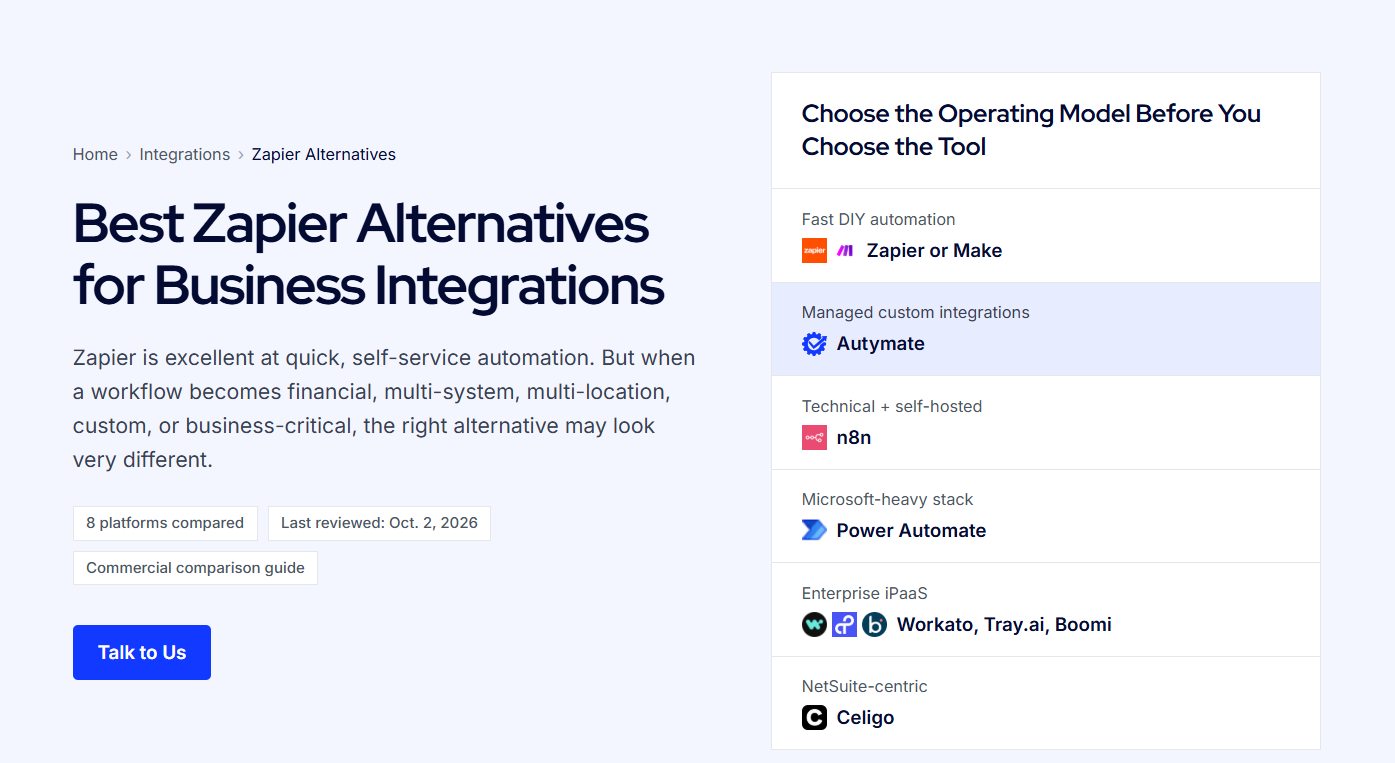
Businesses rarely operate from a single software platform.
Sales teams may work in Salesforce or HubSpot. Finance teams may rely on QuickBooks, Xero, NetSuite, or Sage. Ecommerce orders may come through Shopify or another storefront, while inventory, purchasing, fulfillment, and operational data live inside an ERP.
When these systems are disconnected, employees often become the integration layer.
They export spreadsheets, re-enter orders, copy customer information, reconcile payments, correct account mappings, and investigate why information in one system does not match another.
Automation platforms such as Zapier can solve many of these problems, particularly when the workflow involves straightforward triggers and actions. But businesses with more complicated financial and operational processes may need deeper data transformation, reconciliation, multi-entity routing, custom APIs, monitoring, and exception handling.
That is why companies increasingly evaluate Zapier alternatives for accounting, ERP, CRM, and ecommerce integration.
The right solution is not simply the platform with the most connectors. It is the one capable of moving business data accurately from the source system to the destination while preserving the rules behind that data.
Why Integrating Accounting, ERP, CRM, and Ecommerce Is Different
Consider a relatively simple ecommerce order.
A customer purchases a product online.
That single transaction may need to update several systems:
Ecommerce → CRM → ERP → Inventory → Accounting → Reporting
The ecommerce platform knows the customer, products, discount, shipping charge, tax, payment method, and order status.
The CRM may need the customer and purchase activity.
The ERP may need the order and inventory change.
Accounting needs the financial result, including revenue, tax, fees, refunds, and settlement information.
Each application represents that transaction differently.
That means successful integration requires more than moving fields between applications. It may require:
-
Customer and product matching
-
Account mapping
-
Location or entity routing
-
Data transformation
-
Duplicate prevention
-
Validation
-
Error handling
-
API management
-
Payment reconciliation
-
Inventory synchronization
-
Monitoring
These requirements become even more important for franchises, multi-location companies, ecommerce businesses, and organizations processing large transaction volumes.
1. Autymate for Managed Custom Integrations
Autymate is a strong Zapier alternative when businesses want the integration built and managed for them rather than maintaining automation workflows internally.
Autymate connects accounting, ERP, CRM, POS, ecommerce, payroll, databases, APIs, and other business applications. Its current offering covers 300+ systems and includes managed integration monitoring.
The important difference is the approach.
Instead of beginning with:
“Which trigger and action should we use?”
Autymate can begin with:
“What should happen to this business transaction from beginning to end?”
For example, an ecommerce-to-accounting workflow could take:
Order → Payment → Fees → Refund → Settlement → Accounting
and determine how each part should be represented in QuickBooks, Xero, NetSuite, Sage Intacct, or another accounting platform.
Autymate's accounting integration services are designed around mapping, validating, routing, and monitoring information before it reaches the accounting system.
This makes the model useful when financial accuracy and operational reliability are critical.
2. Workato for Enterprise Automation
Workato is another Zapier alternative worth considering when a company needs enterprise-level process automation.
Its connector framework allows applications to exchange data through triggers and actions, while universal connectors can extend connectivity to systems using technologies such as HTTP, OpenAPI, GraphQL, and SOAP. Workato currently documents more than 1,000 connectors.
That flexibility makes Workato suitable for workflows spanning several departments.
For example:
CRM opportunity → ERP customer → sales order → invoice → payment → CRM update
Instead of treating each connection as an isolated automation, companies can orchestrate a larger business process.
Workato is particularly relevant for larger organizations with internal IT, automation, or integration teams that want centralized control over business workflows.
3. Celigo for ERP and Ecommerce Integration
Celigo is particularly strong in ERP and ecommerce environments.
Its integrator.io platform is designed to automate processes by moving data between business applications. Celigo specifically describes workflows such as synchronizing ecommerce orders with an ERP and keeping CRM customer records consistent.
Its integration catalog covers categories including ERP, ecommerce, finance and accounting, CRM, payments, databases, and B2B/EDI.
A common use case could look like:
Shopify → ERP → Warehouse → Accounting
An order enters through an ecommerce store.
The ERP receives the sales order.
Inventory changes.
Fulfillment information returns to the storefront.
The financial transaction reaches accounting.
Celigo can therefore be worth evaluating when an ERP sits at the center of ecommerce operations.
4. Make for Visual Business Automation
Make is useful for organizations that want to visually design multi-step workflows.
Its platform provides application integrations and an HTTP module that can connect with additional applications or services that expose an API.
A workflow could visually represent:
New customer → check existing CRM record → create/update customer → transform order → create ERP transaction → update accounting → notify team
Filters and branches can determine what happens depending on the incoming information.
This model can work well for businesses that want more control over automation while still preferring a visual low-code environment.
However, the organization still needs someone capable of designing, testing, maintaining, and troubleshooting those workflows.
5. n8n for Developer-Controlled Automation
Technical teams may also consider n8n when they want greater control over APIs, webhooks, databases, code, and automation logic.
Developer-oriented workflow tools can be useful when an integration does not fit neatly into predefined application actions.
For example, a company might retrieve orders through an API, transform the data with custom logic, query a database, and then send the final records to several applications.
This flexibility can be valuable.
But it also changes the ownership model.
Your technical team becomes responsible for architecture, deployment, testing, error handling, monitoring, and ongoing maintenance.
For businesses with engineering resources, that may be exactly what they want. For organizations that simply want their systems connected and maintained, a managed integration approach may be more appropriate.
Accounting Integration Requires More Than Data Transfer
Accounting is one area where basic automation can become risky if the underlying business rules are ignored.
Suppose an ecommerce marketplace generates:
-
$20,000 gross sales
-
$1,500 refunds
-
$800 payment fees
-
$1,200 sales tax
-
$16,500 net settlement
Simply sending $20,000 into accounting does not tell the complete financial story.
The integration may need to create or update sales, refunds, taxes, processing fees, clearing accounts, and deposits.
It may also need to reconcile the resulting records against settlement information.
Autymate's accounting workflows specifically cover examples such as ecommerce orders, shipping, taxes, refunds, marketplace fees, payouts, payment fees, and deposits.
This is why financial integration should focus on the finished accounting outcome, not just whether an API call succeeded.
ERP Integration Needs Business Context
ERP systems often sit at the center of operations.
They may manage:
-
Inventory
-
Purchasing
-
Orders
-
Finance
-
Vendors
-
Customers
-
Warehouses
-
Fulfillment
But many business events originate somewhere else.
A CRM closes a deal.
An ecommerce platform receives an order.
A warehouse confirms shipment.
A payment processor records a transaction.
ERP integration determines how those events become valid ERP records.
Autymate describes ERP integration as a controlled workflow involving extraction, transformation, mapping, validation, orchestration, delivery, monitoring, and recovery—not simply a connector between two applications.
That distinction becomes increasingly important as businesses add locations, entities, systems, and transaction volume.
CRM and ERP Integration
CRM and ERP platforms often contain overlapping information but serve different purposes.
The CRM typically manages prospects, opportunities, account relationships, and sales activity.
The ERP manages operational and financial execution.
A connected workflow could look like:
Opportunity Won → Customer Created → Sales Order Created → Invoice Generated → Payment Received → CRM Updated
Without integration, sales and finance teams may maintain different versions of the same customer or transaction.
Automation helps establish clear ownership.
For example, the CRM can remain the source of truth for sales opportunities while the ERP owns fulfillment and accounting records.
The integration determines when and how information moves between them.
Ecommerce Integration Should Cover the Full Order Lifecycle
Ecommerce integration should not stop when an order is created.
A complete workflow may include:
Order → Payment → Inventory → Fulfillment → Refund → Settlement → Accounting
This is where ecommerce integration becomes closely connected with ERP and accounting integration.
If an order is refunded, inventory may need to change.
The CRM may need updated customer activity.
Accounting needs the refund.
The payment system needs to reconcile the settlement.
The ecommerce platform may need fulfillment status from the warehouse.
The most effective integration architecture follows the business transaction through its complete lifecycle.
What to Look for in a Zapier Alternative
When evaluating alternatives, avoid comparing platforms only by connector count.
Ask operational questions.
Can the integration transform data before sending it?
Can it prevent duplicates?
Can it support multiple companies and locations?
Can it connect with a custom API?
Can it retry temporary failures?
Can it identify missing transactions?
Can it route records differently depending on business rules?
Can it reconcile source totals against accounting totals?
And perhaps most importantly:
Who will maintain the integration when something changes?
Applications update APIs. Credentials expire. New locations open. Account mappings change. Business processes evolve.
An integration needs to evolve with them.
When Autymate Makes Sense
Autymate is particularly relevant when the requirement is not simply:
“Help us automate this task.”
Instead, the requirement is:
“Connect our systems and make sure the data keeps moving correctly.”
Autymate builds and manages workflows connecting ERP platforms with CRM, ecommerce, POS, accounting, payroll, warehouse, payment, database, EDI, and custom systems. Its ERP services also include multi-entity routing, monitoring, and exception control.
That makes it suitable for organizations with complicated financial and operational workflows, particularly when maintaining integrations internally would create additional technical overhead.
Final Thoughts
There are many capable Zapier alternatives for accounting, ERP, CRM, and ecommerce integration.
Make can be useful for visual automation.
n8n appeals to technical teams wanting greater control.
Workato provides enterprise automation capabilities.
Celigo is particularly relevant for ERP and ecommerce environments.
But selecting an integration solution should ultimately come down to the business process you are trying to protect.
Connecting applications is only the beginning.
Reliable integration requires making sure orders, customers, invoices, payments, refunds, inventory changes, and other records reach the correct system in the correct format—and that failures do not remain invisible.
For businesses that prefer a managed approach, Autymate builds and monitors custom integrations connecting accounting, ERP, CRM, ecommerce, POS, databases, APIs, and other business systems.
Instead of changing your process to fit a generic automation, the integration can be designed around the way your business actually operates.
Need to connect your accounting, ERP, CRM, or ecommerce systems? Talk to an Autymate integration expert about building a reliable data workflow for your business.

